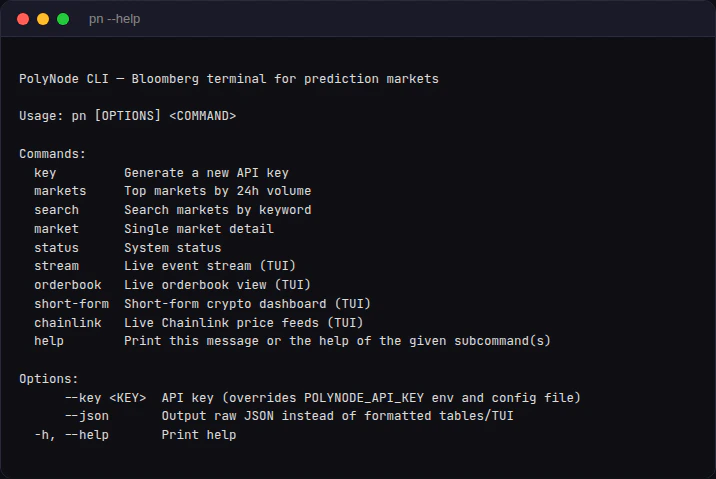

The PolyNode CLI (pn) gives you instant access to every PolyNode feature from the terminal. Watch live settlements scroll by, view full-depth orderbooks with bid/ask visualization, track short-form crypto markets with countdown timers, and monitor Chainlink price feeds. Every command also supports --json for programmatic use by agents and scripts.

Install

# From source (requires Rust)
cargo install --git https://github.com/joinQuantish/polynode-cli
The binary is called pn.

Authentication

The CLI resolves your API key in this order:
  1. --key flag: pn markets --key pn_live_...
  2. POLYNODE_API_KEY environment variable
  3. ~/.config/polynode/key file (auto-saved when you run pn key create)
# Generate a free API key (auto-saves to ~/.config/polynode/key)
pn key create

Commands

pn --help
CommandTypeDescription
pn key create [name]RESTGenerate a new API key
pn statusRESTSystem status and metrics
pn markets [--count N]RESTTop markets by 24h volume
pn search <query>RESTFull-text market search
pn market <slug-or-id>RESTSingle market detail
pn stream [type]Live TUIScrolling real-time event feed
pn orderbook <slug-or-id>Live TUIFull-screen bid/ask depth view
pn short-form <5m|15m|1h>Live TUIMulti-coin crypto dashboard
pn chainlinkLive TUILive Chainlink price feeds
Every command supports --json for machine-readable output.

Static Commands

Markets

View the top markets by 24h trading volume.
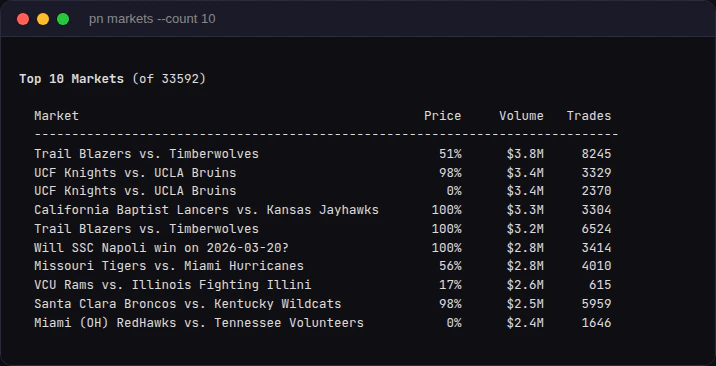
pn markets --count 10
pn markets Full-text search across all market questions.
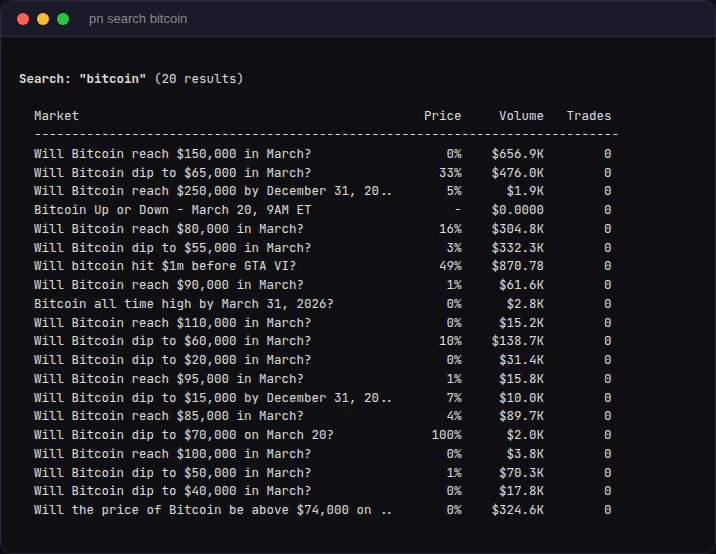
pn search "bitcoin"
pn search bitcoin

Status

System health, connection count, and state metrics.
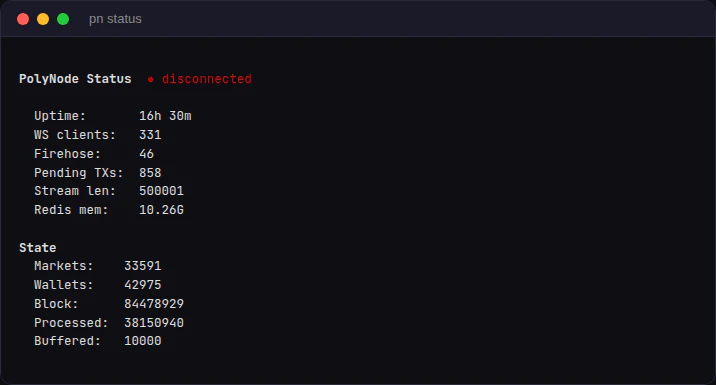
pn status
pn status

Market Detail

Look up a single market by slug or token ID.
pn market will-bitcoin-reach-150k-in-march-2026

Live TUI Commands

Live commands open a full-screen terminal UI that updates in real-time. Press q or Esc to exit.

Stream

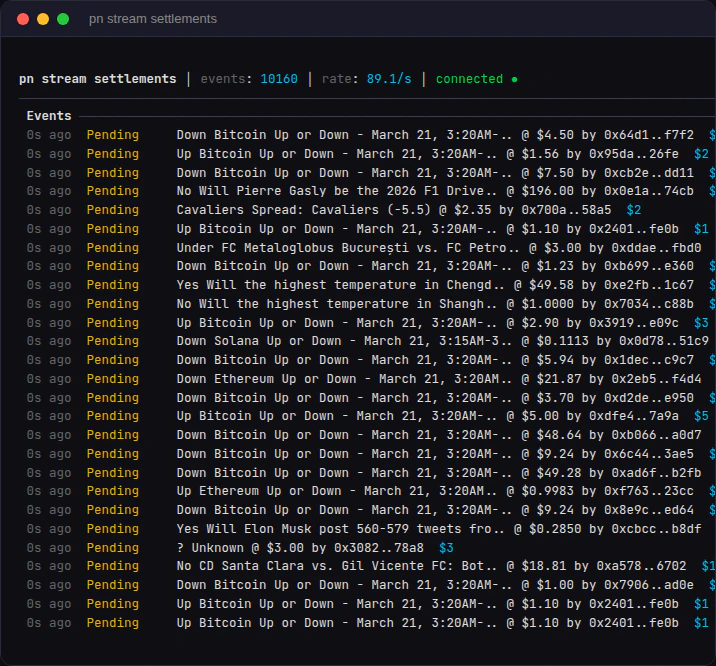
Watch every settlement, trade, block, or oracle event as it happens.
# All settlements
pn stream settlements

# Large trades only (> $100)
pn stream settlements --min-size 100

# Filter by wallet
pn stream settlements --wallets 0xabc...

# Other event types
pn stream trades
pn stream blocks
pn stream oracle
pn stream global
pn stream settlements Events are color-coded: yellow for pending, green for confirmed. The header shows event count and throughput rate.

Orderbook

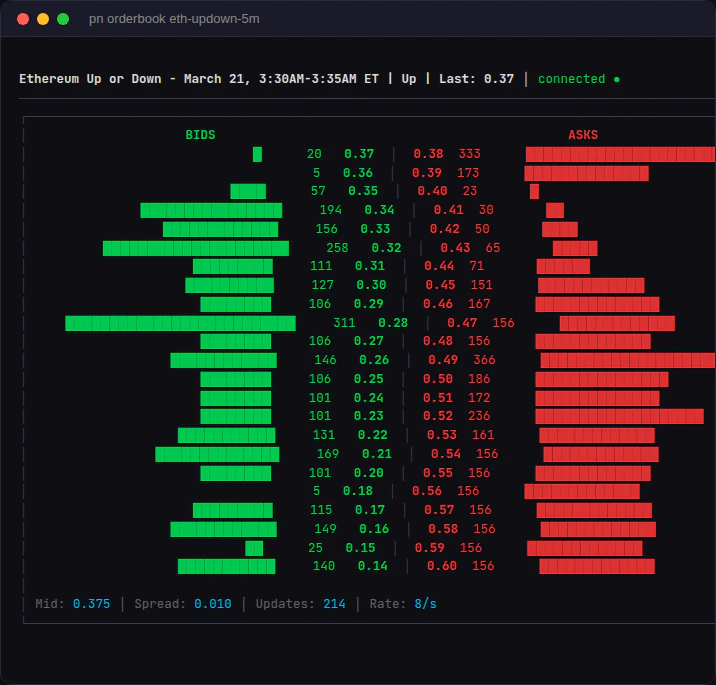
Full-depth live orderbook with proportional bid/ask bars. Green bars show bid depth growing left, red bars show ask depth growing right.
pn orderbook btc-updown-5m-1774077000
pn orderbook will-bitcoin-reach-150k-in-march-2026
pn orderbook Use arrow keys to scroll deeper into the book. The footer shows midpoint, spread, total updates, and update rate.

Short-Form Dashboard

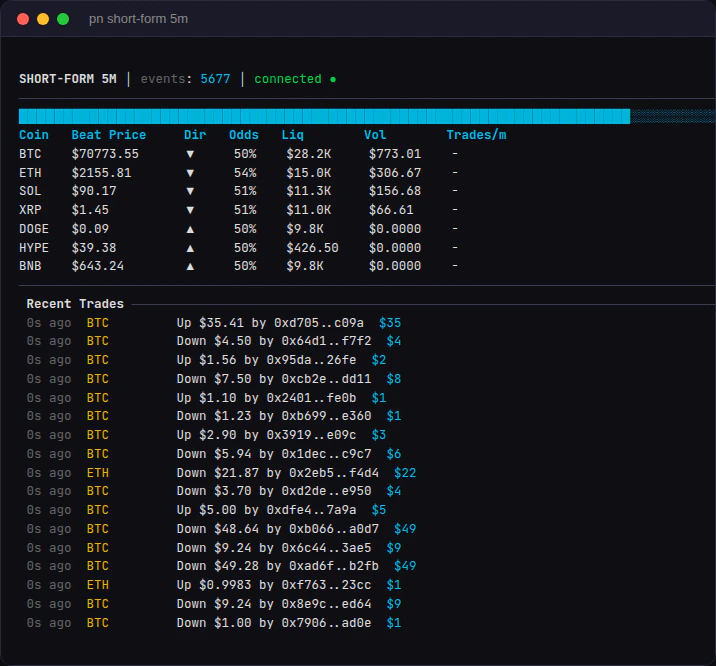
Multi-coin dashboard for Polymarket’s short-form crypto markets. Shows all 7 coins (BTC, ETH, SOL, XRP, DOGE, HYPE, BNB) with beat price, direction, odds, liquidity, volume, and a countdown timer. Auto-rotates to the next window when the current one expires.
# 5-minute windows
pn short-form 5m

# 15-minute, specific coins
pn short-form 15m --coins btc,eth,sol

# Hourly
pn short-form 1h
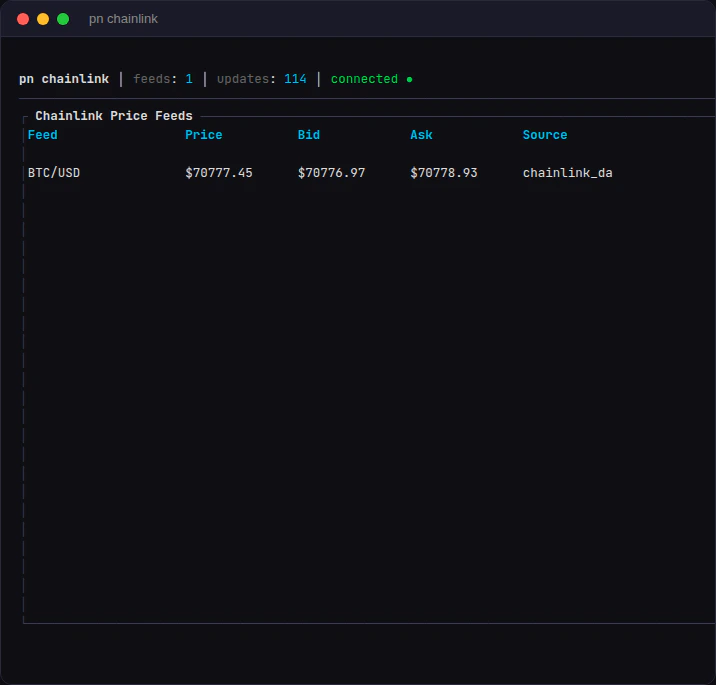
pn short-form 5m Live Chainlink data stream prices with bid/ask.
pn chainlink
pn chainlink

JSON Mode (for Agents)

Every command supports --json for programmatic use. Static commands output pretty-printed JSON. Streaming commands output newline-delimited JSON (NDJSON), one object per line, with no TUI.
# Static: pretty JSON
pn markets --count 5 --json

# Streaming: NDJSON (one event per line, no TUI)
pn stream settlements --json

# Pipe to jq
pn stream settlements --json | jq '.taker_size'

# Orderbook snapshots as JSON
pn orderbook btc-updown-5m-1774077000 --json
This makes pn composable with standard Unix tools and usable as a data source for automated trading agents.

Key Bindings (TUI)

KeyAction
q / EscQuit
Ctrl-CQuit
Up / DownScroll orderbook depth
HomeReset scroll to top of book